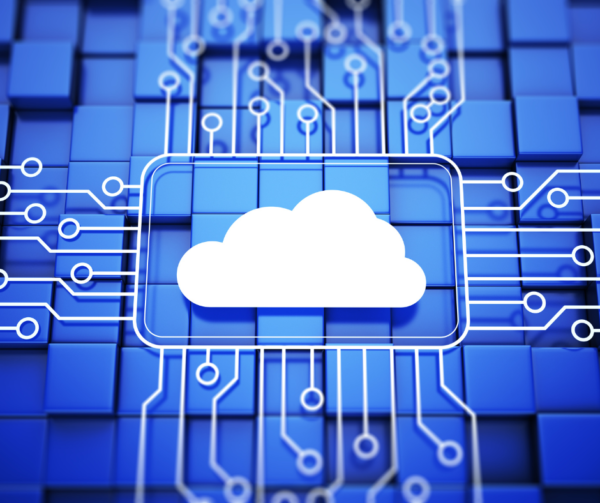
If you are shopping for trucking software, you’ve probably picked up on the term “cloud based”. It sounds modern, easy, flexible. But what does it actually mean?
More importantly, trucking software providers don’t always explain what you’re giving up by going cloud based vs installing the application on your own network.
We’re going to do that now and show you how you can get the best of both worlds.
What Cloud Based Trucking Software Means
At its core, “cloud based” really just means:
The software you are using runs on someone else’s server and you access it remotely.
Still a little too much jargon? Let’s break that down in even simpler terms.
- Server: A computer that has one or more software applications installed on it. This is also called a “host”. What might come to mind is an image of a vast datacenter with dozens of computers on shelves. Each of these is a server or host.
- Remote: You’re here. The server is over there. Your connect to it via the internet. The server might be in the next city over or it could be across the country.
The software itself is on the server, and you are using it from your own location through the internet.
Using cloud based trucking software is like staying in a hotel. The building and rooms are already there. You pay for space inside the building and the cleaning service tidies up for you.
Instead of installing the software on your office computer or server (we’ll get to that later), you log into the distant server or host from anywhere: your office, your home, or even on the road.
PROS OF CLOUD BASED TRUCKING SOFTWARE
- You can access it from anywhere
- No in-house server maintenance, which can be intense for a trucking company
- Backups are typically a service provided (when done right, this is a big deal)
- Easier for remote teams to access the same software
That’s why cloud based trucking software is so popular. But let’s not jump to conclusions. Let’s hear out the side of installed trucking software.
What Installed (On-Premise) Trucking Software Means
Installed or on-premise trucking software boils down to:
The software lives on your own server or computer inside your network. Workstations connect to and use the application, even if there is no internet connection.
More technical jargon! Let’s break that down.
- Server: A computer that has one or more software applications installed on it. This is also called a “host”. In the case of installed software, this could mean a server in the back of the office. Or, your IT people may manage the server off-site, but there is still a singular and physical server you can look at. In other words, it’s unlikely that the server or host is sitting in a sea of other servers in a datacenter.
- Network: A bubble that you and your coworkers or employees work in. Each of your computers is connected to each other.
- Workstation: Each computer that exists within the network. These are the computers you actually work on.
The software itself is still on a server, but it’s a server you own and connect to within your own network.
Installed software like owning your own hotel. You built the infrastructure and you manage the cleaning service. Only you and your coworkers stay in the rooms.
Instead of requiring an internet connection to use the application, you work in it from within your own network bubble.
PROS OF INSTALLED TRUCKING SOFTWARE
- Full control over your data
- No dependency on internet speed for local use
- Often faster for large datasets
The trade-off is that you are responsible for backups (unless your software helps). Access to the software for your remote users takes some setup that is best done by an IT person. And finally, you need to have a solid IT infrastructure. The workstations and the server need to talk to each other and pass information back and forth.
We aren’t playing favorites here. On-premise software has major advantages in the world of trucking.
Cloud vs Installed Trucking Software
So much of what’s out there right now are cloud based web apps (you use them in an internet browser). They’re cropping up so fast it’ll make your head spin. What so many of these products have in common is that they aren’t a complete TMS. In other words, they don’t back your entire business.
This is our honest comparison of cloud based and installed trucking software.
PERFORMANCE
- Most “cloud” systems you’ll find out there are simplified web apps. These often struggle with large datasets. As your business ages or grows, or if you have a high volume of loads, this can present as a problem if the horsepower behind an installed system isn’t backing the application.
- Installed systems or full applications that are hosted for you are typically much faster.
FLEXIBILITY
- Cloud is easier to access from anywhere, especially if you don’t have a knowledgeable IT team.
- Installed trucking software gives you more control, but it’s less plug-and-play. If you want to work remotely, you’ll need help from an IT team to get you set up.
DATA OWNERSHIP
There’s one part of this conversation that doesn’t get the attention it deserves: Who actually owns your data?
With installed trucking software, the answer is simple: You do. It lives on your system, under your control.
With cloud based systems, data ownership becomes blurry. Some of the modern web based platforms operate on a model where your data:
- Lives entirely in their environment
- Is analyzed for trends or insights
- And in some cases, contributes to paying the bills of the software provider because it’s monetized
It may not be obvious when you sign up, but it’s often buried in the terms and conditions. Find out if you’re the product and determine if you’re okay with that.
So, the real question becomes:
If your data is being used for monetary gains, shared, or analyzed behind the screens… do you really own it?
We’ll come back to this in a moment, because it matters more than most trucking companies realize. Silicon Valley has descended on this industry, and keeping it real is something we think we would all prefer.
Where Q7 Fits Into the Cloud vs Installed Trucking Software Conversation
This is one of the advantages of how Q7 was built.
Because Frontline Q7 trucking software runs as a full application (it’s not a stripped down web app that requires QuickBooks) and operates on a high-performance database, you’re not locked into one environment.
You can:
- Run Q7 fully in the cloud
- Install Q7 on your own network
- Use Q7 in a hybrid setup depending on how your business operates
And just as importantly:
Your data is your data.
Even when you’re using Q7 On The Cloud, your data is not being sold, shared, or repackaged. We don’t monetize your information. We don’t analyze it for resale or treat our customers like a product. It’s your data and we simply store it securely so you can enjoy all of the benefits of cloud based trucking software.
Most trucking software companies force you into one model or the other:
- Fully cloud (usually a lightweight web app)
- Or fully installed (older systems)
Q7 doesn’t do that. With Q7 trucking software, you get the exact same system served up however you want:
- Q7 On The Cloud: Runs on secure, managed servers
- Q7 Site License (Installed): Runs on your own network
- Hybrid: Because Q7 runs on a powerful database, you can live in a hybrid environment
Same features, same accounting, same dispatch, same updates, and same reporting. In each case, you get the full enterprise TMS because it is running on the horsepower of a machine.
What this means for you:
| What You Want | Best Choice |
|---|---|
| Remote access + no server maintenance | Q7 On The Cloud or Hybrid |
| Full control in-house | Q7 Site License |
Want to switch later? You’re not locked in. If you’re still wondering whether cloud based or installed trucking software is right for you, reach out and ask us your questions!
Where Most “Cloud” Trucking Software Products Fall Short
This is the part people usually figure out after they’ve purchased a subscription.
A lot of the cloud based trucking platforms out there, and especially the web based ones, have a few snags that aren’t always clear when you demo with the sales person:
- They simplify dispatch with some sleek looking features, but they lack built-in accounting. This means you have to purchase a QuickBooks or other third-party accounting platform subscription. Furthermore, it means your books don’t live alongside your operations.
- They struggle with large or growing fleets.
- They slow you down as your data grows. Some may even limit how much data you can have at once.
- Workarounds are often required for financial reporting.
They’re built to feel easy upfront. But trucking is never that simple.
Which One is Right For You?
The answer to this question really depends on how your trucking company operates.
WHEN CLOUD TRUCKING SOFTWARE MAKES THE MOST SENSE
- You have a remote or distributed team
- You don’t want to manage a server, or it’s outside of your scope and you don’t have a reliable tech person
- You value accessibility over control
WHEN INSTALLED TRUCKING SOFTWARE MAKES THE MOST SENSE
- You want full control over your data and system
- You handle large amounts of data and you have concerns about speed over the internet
- You have spotty internet
- You have a small network or an IT group to help you manage your network, data backups, etc.
Or, you choose a system that lets you do both.
Before choosing any trucking software, ask if it’s a true TMS or if it’s just a simplified web tool. You should also ask your sales rep what happens to your data long-term, and if the software will still work if your company doubles in size.
Most importantly:
Ask if you have options or if you are locked into one way of operating.
Your company’s priorities may change long-term, and you’ll want to have the flexibility to change your setup without having to change platforms.
The best trucking software doesn’t force you into “cloud” or “installed”. Frontline Q7 gives you the flexibility to run your business the way you want, with the tools to back it up.
Cloud vs Installed Trucking Software: Frequently Asked Questions
What is the difference between cloud based and installed trucking software?
Cloud based trucking software runs on remote servers and is accessed through an internet connection. As a result, you can log in from anywhere.
Installed or on-premise trucking software runs on your own server or network, giving you full control of your system and data.
The main difference comes down to where the software runs and who manages it.
With systems like Q7 Trucking Software, the experience stays the same either way. You can run Q7 On The Cloud or install it locally, depending on what works best for your operation. Because Q7 runs on a powerful database, you can even set up a hybrid environment.
Is cloud based trucking software secure?
It can be, but it depends on how it’s built and managed.
Some cloud platforms prioritize convenience over control, which can raise concerns around data access, privacy, and long-term ownership.
That’s why it is important to ask during trucking software demos questions like:
- Where is my data stored?
- Who has access to it?
- Is it being used beyond my business?
With Q7 On The Cloud, your data is stored securely and treated exactly as what it is: your business data. It is not sold, shared, or repackaged.
Not all cloud solutions take this approach, so it’s worth asking the question before you commit.
Can trucking software be both cloud and installed?
Yes, and this is becoming more common.
Modern trucking systems can support hybrid setups. This means your data is stored in a secure cloud environment while the application itself runs locally (or visa versa).
This gives trucking companies across the country more flexibility. You can have the flexibility of remote access and control what matters to you.
With Frontline Q7, you’re not locked into one trucking software setup. You can run fully in the cloud, fully on-site, or use a hybrid approach.


