
A dispatcher books a load, or it is imported via various forms of technology. Later, someone needs those same details to invoice the customer, pay the driver, and record revenue and expenses for the P&L. When each step works in a different system, even a simple change to the freight rate can mean updating it in several places.
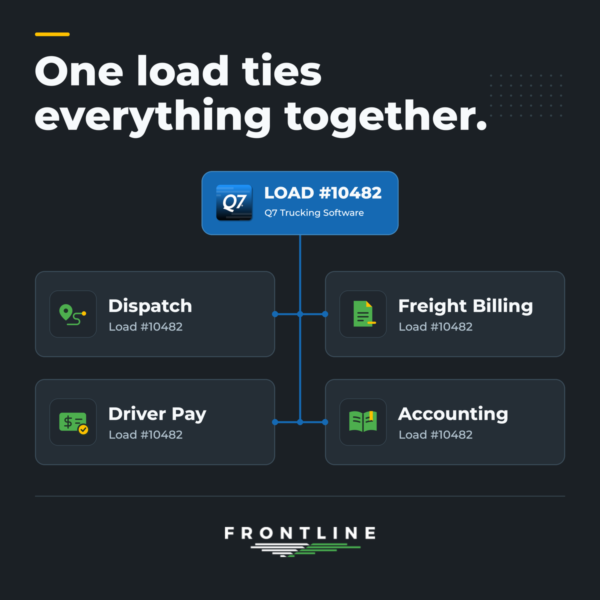
Frontline Q7 brings trucking dispatch and accounting into the same system. Enter the load once, and those details are already there for the people who handle the next steps.
Dispatch Starts With The Load
The customer, stops, rates, and route details are loaded into Q7. This step can happen in a variety of ways. In certain cases, you may plug in the load in less than 10 seconds. In other cases, the load may get booked into Q7 via EDI or a CSV importer. With advancements in AI, you may even be using an MCP server or API to have loads inserted on your behalf.
Regardless of how the load is booked into Q7, you now have the foundation for the rest of the workflow. Dispatchers can assign drivers and equipment and track the load as it moves. The same load record gives the rest of the office the information it needs once the load has been delivered.
Freight Billing Picks Up Where Dispatch Left Off
When a load is ready to be billed (based on manual or automated signals in dispatch), the billing team can use the rates and charges already on the load to prepare the invoice. If there is a detention charge or other last-minute adjustment, the user can review it alongside the rest of the load details before sending the bill.
Q7 offers a variety of billing tools and methods. Create one invoice per load, or create a statement-like invoice with two or more loads and a grand total. Email invoices, transmit via EDI, or talk to us about other invoicing methods your customers require.
Driver Pay is Tied to the Trip
Q7 calculates driver pay on the load, so your team can see what the driver earned and which work it came from. Those amounts carry through to payroll or owner operator pay settlements. As a result, the office has a clear record to review when a driver has a question about their pay.
Automate driver pay using Q7’s flexible driver pay profiles. Dozens of calculation potentials exist in a single profile.
Accounting Brings The Numbers Together
Freight billing and driver pay feed into Q7’s built-in accounting. No, you are not required to go to QuickBooks just to see your actual ledger. Your team can follow a Q7 load straight into accounts receivable. See what’s been paid along with the revenue and costs to understand how a load (or many loads) performed. From load to ledger, everything has been tied together.
All-in-one integrated trucking software like Q7 means you don’t need a second system for dispatch or accounting.
What Else Can You Connect?
The load is one place to start. Q7 can also connect with tools your team already uses, including ELDs, fuel cards, and shipper EDI systems. AI technology is quickly advancing, and we are excited about the potential for integration (as long as it is secure). Within Q7, you can track fleet maintenance and repair costs, manage driver and equipment compliance, and use custom programming to address workflows unique to your operation.
Want to see how Q7 works? Request a demo and bring a load that’s typical for your business. We’ll walk through it with you from dispatch to the books.


